Closed October 21, 2026
Mealime's closing page says the app was discontinued as of October 21, 2026. The web app now shows a maintenance page instead of a sign-in, and the app is no longer listed in Apple's App Store.
Mealime closed on October 21, 2026
Mealime's app and sign-in are gone, and saved plans and grocery lists went with them. myDinnerPlan puts your recipes, the dinner calendar, who's home and the shopping list in one place. It's independent software, not a grocery store's app.

The short version, from Mealime's own closing page and what we checked ourselves.
Mealime's closing page says the app was discontinued as of October 21, 2026. The web app now shows a maintenance page instead of a sign-in, and the app is no longer listed in Apple's App Store.
Mealime's shutdown FAQ says all personal data would be deleted when the app shut down. No export was offered, so saved favorites, meal plans and grocery lists can't be opened or downloaded.
Mealime has been owned by Albertsons Companies since 2021. It points users to Meals Hub inside Albertsons Companies store apps. Accounts don't transfer, so preferences have to be set up again there.
The public recipe pages at mealime.com/recipes still load (checked October 23, 2026). Mealime hasn't said how long they'll stay up.
Source: Mealime closing page and shutdown FAQ. Web app, App Store and recipe pages checked October 23, 2026.
An honest look at what you can still get back, and what you can't.
Most families rotate 10 to 20 dinners. Jot them down from memory. Old screenshots, grocery-list photos, emails, texts to your household and notes apps often hold the names, or even full copies.
Search the public recipe pages by name. If a recipe matters to you, use your browser's Print, then Save as PDF, so you have a copy even if the pages come down later.
Type recipes in by hand on free Starter. On Household, paste the ingredients and steps and myDinnerPlan sorts them into a recipe. On Pro Household, paste the recipe's mealime.com link instead (see below).
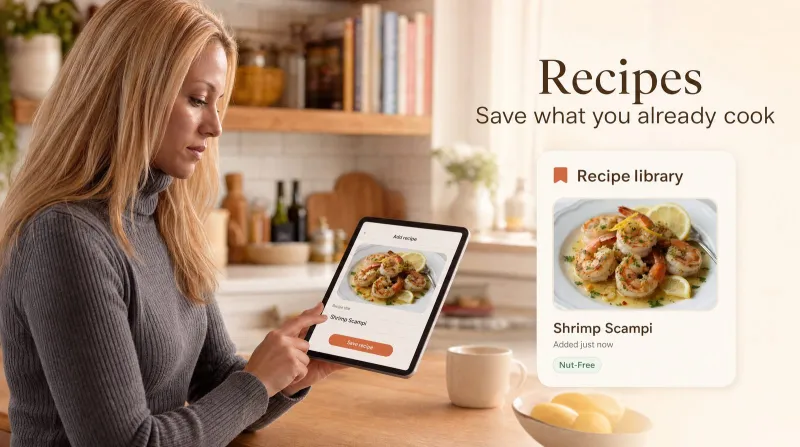
Add a family favorite by hand: ingredients, steps and servings.
Copy the text from a recipe page, a PDF or an old email, and myDinnerPlan sorts it into a recipe.
Mealime's public recipe pages include standard recipe data, which myDinnerPlan's URL import reads to fill in the title, ingredients and steps. Check the import, then save it. Bulk import (CSV, Paprika and more) is on Pro Household too.
Your first week doesn't need your whole recipe box. A few dinners on the calendar is enough to start.
Start with the public recipe library or type a family favorite. That's enough for a first week.
Put dinners on the calendar by hand on free Starter (up to 7 upcoming). On Household or Pro Household, auto-generate a varied week and swap what you don't want.
On Household and Pro Household, family members RSVP to dinners, and servings scale to the people who are actually eating.
On Household and Pro Household, one shopping list is built from the plan and checked against your pantry, so you only buy what's missing.
Ask Alexa what's for dinner tonight, or show the dinner plan on your Home Assistant dashboard. Both work on free Starter too.
Start free. Upgrade only if you want auto-generate, the shopping list or recipe import.
For trying dinner planning together
$0forever
No credit card
Create free accountFor auto-generate and the shopping list
$3.99/mo or $39/yr
For bigger recipe collections
$6.99/mo or $59/yr
14-day trial for new subscribers (card required)
Compare plansFull details on the pricing page.
Yes. Mealime's own closing page says it was discontinued as of October 21, 2026. Its web app now shows a maintenance page, and the app is no longer listed in Apple's App Store. Its public recipe pages at mealime.com/recipes are still online for now.
Not from Mealime. It said all personal data would be deleted at shutdown, and no export was offered. You can still find the recipes themselves by name on mealime.com/recipes, and check your screenshots, email and notes for copies of anything else.
Yes, in three ways. On any plan, type a recipe in by hand. On Household, paste the ingredients and steps. On Pro Household, paste the mealime.com/recipes link and URL import reads the recipe from the page. Check each import before you save it.
If you already shop at an Albertsons Companies store (Safeway, Vons and Jewel-Osco are among them), Meals Hub is the official route and may be the least effort. myDinnerPlan is for households that want a dinner planner that isn't tied to any grocery chain.
No. Starter is free with no card and no end date. It lets you plan up to 7 upcoming dinners by hand. Only Pro Household has a trial: 14 days for new subscribers, with a card required.
Yes. From Account settings you can download a JSON export of your recipes, meal plans, pantry and household data at any time.
Yes, on every plan, including free Starter. Link the myDinnerPlan Alexa skill to ask what's for dinner, or add Home Assistant dinner sensors to your dashboards.
No. It's software only. Nothing is shipped to you, and you buy groceries wherever you already shop.
myDinnerPlan is a web app you can install from your browser to your phone's home screen in two taps. No app store needed.
Create a free Starter account with no credit card. Put up to 7 dinners on the calendar and see how it feels.
Tap Share then Add to Home Screen
Tap the browser menu then Install app or Add to Home screen

Install myDinnerPlan for quick access